
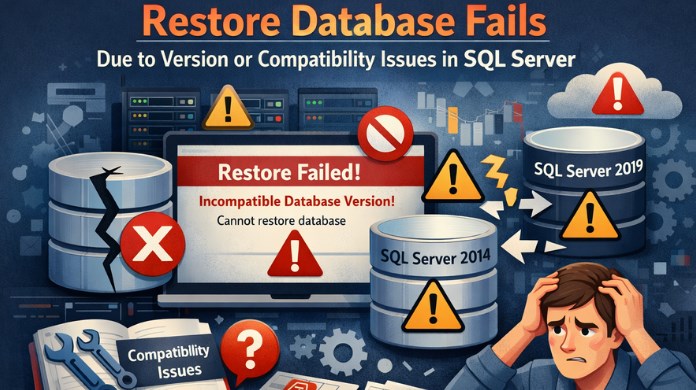
Restoring a SQL Server database is usually a straightforward task—until it suddenly fails with cryptic errors related to version mismatch or SQL Server compatibility issues. These errors commonly occur during migrations, disaster recovery, or environment upgrades and can completely halt database availability if not handled correctly.
This article explains why SQL Server database restore fails due to version or compatibility issues, the most common error scenarios, and practical ways to resolve or avoid them.
Understanding Version and Compatibility in SQL Server
Before diving into failures, it’s important to distinguish between two often-confused concepts:
- SQL Server Version
Refers to the SQL Server engine itself (e.g., SQL Server 2016, 2019, 2022). - Database Compatibility Level
Determines how SQL Server handles query behavior, deprecated features, and optimizer changes.
A database backup taken on one version of SQL Server may not always be restorable on another version—especially when restoring from a newer version to an older one.
Common Scenarios Where Restore Fails
1. Restoring a Newer SQL Server Backup on an Older Version
This is the most common cause of restore failure.
Example scenario:
- Backup taken on SQL Server 2022
- Restore attempted on SQL Server 2019
Typical error message:
The database was backed up on a server running version X. That version is incompatible with this server.
Why it happens:
SQL Server does not support backward compatibility for database restores. Older versions cannot understand metadata introduced in newer releases.
2. Compatibility Level Mismatch After Restore
Sometimes the restore succeeds, but the database behaves abnormally afterward.
Common symptoms:
- Queries fail or return different results
- Performance degradation
- Deprecated features no longer work
Why it happens:
The SQL Server database compatibility level remains set to the original SQL Server version, which may not align well with the target environment.
3. Restore Fails Due to Unsupported Features
Databases using features that are edition- or version-specific may fail to restore.
Examples include:
- In-Memory OLTP
- Transparent Data Encryption (TDE)
- Stretch Database
- Ledger tables or newer indexing features
If the destination SQL Server version or edition does not support these features, restore may fail or succeed with limitations.
4. System Database Version Conflicts
Restoring system databases (master, msdb, model) across SQL Server versions often causes failures.
Why:
System databases are tightly coupled to the SQL Server engine version and internal structures, making cross-version restores unsupported.
5. Corrupted or Incomplete Backup with Version Metadata Issues
Sometimes the error looks like a version issue but is actually caused by:
- Corrupted backup headers
- Interrupted backup operations
- Damaged MDF or LDF metadata
In such cases, SQL Server may incorrectly report compatibility or version problems.
How to Fix Restore Failures Due to Version or Compatibility Issues
1. Restore on the Same or Higher SQL Server Version
Always ensure:
- The target SQL Server version is equal to or newer than the source
- Service packs and cumulative updates are aligned when possible
This is the safest and most reliable approach.
2. Use Compatibility Level Adjustment After Restore
Once restored successfully, adjust the compatibility level:
- Validate application behavior
- Test performance
- Monitor deprecated feature warnings
This helps the database adapt better to the new SQL Server engine while maintaining functional stability.
3. Migrate Data Instead of Restoring the Database
If restoring to an older version is mandatory:
- Use Generate Scripts
- Export/Import data
- Use SSIS or BACPAC files
While time-consuming, this avoids restore-level compatibility restrictions.
When Native Restore Is Not Enough
In real-world recovery scenarios—especially during failed upgrades or partial migrations—native restore may not be possible due to version conflicts or corrupted metadata. In such cases, professional solutions like SysTools SQL Recovery Tool can help recover database objects and data without relying on SQL Server restore compatibility rules.
Conclusion
Restore failures due to version or compatibility issues are not random—they are the result of SQL Server’s strict architectural boundaries. Understanding how SQL Server handles version compatibility, feature support, and metadata changes allows administrators to plan migrations safely and respond effectively when restores fail.
Whether you’re upgrading SQL Server, moving databases between environments, or recovering from a disaster, addressing version and compatibility issues early can save hours of downtime and data risk.


Leave Comment